Introduction:
Artificial Intelligence has become an essential part of modern work, helping professionals, students, marketers, and businesses complete tasks faster than ever before. In 2026, AI assistants are no longer just chatbots that answer questions—they have evolved into powerful productivity tools capable of writing documents, analyzing data, creating presentations, conducting research, generating images, and automating workflows.
Among the growing list of AI assistants available today, Microsoft Copilot stands out as one of the most productivity-focused solutions on the market. Backed by Microsoft’s massive ecosystem and powered by advanced AI technology, Copilot is designed to help users work smarter inside applications they already use daily, including Word, Excel, PowerPoint, Outlook, and Teams.
Microsoft has invested billions of dollars into artificial intelligence through its partnership with OpenAI, the company behind ChatGPT. As a result, Microsoft Copilot combines cutting-edge AI models with deep integration across Microsoft products, creating a unique experience that focuses heavily on workplace productivity.
The popularity of Microsoft Copilot has increased rapidly among professionals, businesses, and enterprise users because it helps automate repetitive tasks, improve efficiency, and streamline communication. Whether you’re drafting reports, analyzing spreadsheets, creating presentations, or managing emails, Copilot aims to become your AI-powered workplace assistant.
In this Microsoft Copilot Review 2026, we’ll examine its features, pricing, pros, cons, use cases, and how it compares to ChatGPT. By the end of this review, you’ll know whether Microsoft Copilot is the right AI assistant for your personal or professional needs.
Quick Verdict
Microsoft Copilot is one of the best AI productivity tools available in 2026. While ChatGPT remains stronger for creativity and general-purpose AI tasks, Microsoft Copilot excels in productivity, business workflows, Microsoft Office integration, and enterprise collaboration.
What is Microsoft Copilot?
Company Overview
Microsoft Copilot is Microsoft’s flagship AI assistant designed to help users complete tasks faster through artificial intelligence. Built using advanced language models and integrated directly into Microsoft’s software ecosystem, Copilot serves as an intelligent assistant for work, education, and business applications.
Microsoft’s AI strategy has focused on embedding artificial intelligence into its most widely used products rather than creating a standalone chatbot experience. This strategy allows users to access AI assistance exactly where they need it most.
A major factor behind Copilot’s success is Microsoft’s strategic partnership with OpenAI. Through this partnership, Microsoft gained access to some of the world’s most advanced AI models, enabling the company to integrate powerful AI capabilities into its products and services.
The journey began with Bing Chat, Microsoft’s AI-powered search assistant. Over time, Bing Chat evolved into Microsoft Copilot, becoming a broader productivity assistant capable of helping users across multiple Microsoft applications and workflows.
Today, Microsoft Copilot is available across Windows, Microsoft 365 applications, web browsers, mobile devices, and enterprise platforms, making it one of the most accessible AI assistants available.
What Makes Microsoft Copilot Different?
Several factors distinguish Microsoft Copilot from competitors.
Deep Microsoft Ecosystem Integration
Unlike most AI tools that operate separately from productivity software, Copilot works directly inside Microsoft applications such as Word, Excel, PowerPoint, Outlook, and Teams.
This integration allows users to create documents, analyze spreadsheets, summarize emails, and generate presentations without leaving their workflow.
Productivity-Focused AI
While many AI assistants focus primarily on conversation, Copilot is designed specifically for productivity and workplace efficiency.
Its goal is to help users complete real tasks rather than simply answer questions.
Business-Oriented Features
Microsoft Copilot includes numerous business-focused tools such as meeting summaries, email drafting, workflow automation, and collaborative document creation.
These features make it especially valuable for organizations and teams.
Enterprise Security
Security remains a top priority for Microsoft.
Copilot benefits from Microsoft’s enterprise-grade security infrastructure, helping businesses maintain compliance, privacy, and data protection standards.
Who is Microsoft Copilot For?
Microsoft Copilot serves a wide range of users.
Business Professionals
Professionals can use Copilot to draft reports, summarize meetings, analyze data, and improve productivity.
Students
Students benefit from research assistance, study support, presentation creation, and writing assistance.
Bloggers
Content creators can generate outlines, draft articles, and organize ideas more efficiently.
Content Creators
Marketers, writers, and creators can use Copilot for brainstorming, content development, and audience engagement.
Office Workers
Employees working in Microsoft Office applications gain significant productivity advantages through automation and AI assistance.
Enterprises
Large organizations benefit from secure AI implementation, collaboration tools, and workflow automation across departments.
Microsoft Copilot Features
AI Chat Assistant
One of Microsoft’s most visible AI capabilities is its conversational chat assistant.
Conversational AI
Copilot provides natural conversations that feel intuitive and human-like. Users can ask questions, request assistance, brainstorm ideas, and receive detailed responses in real time.
The AI understands context, allowing conversations to continue naturally across multiple interactions.
Question Answering
Whether you need explanations, recommendations, summaries, or insights, Copilot can provide fast and relevant answers.
It works similarly to ChatGPT while maintaining close integration with Microsoft’s ecosystem.
Research Assistance
Research tasks become significantly easier with Copilot.
Users can gather information quickly, summarize lengthy content, and extract key insights from multiple sources.
For professionals working with reports, proposals, and business documents, this capability can save considerable time.
Information Gathering
Copilot helps collect relevant information from various sources and presents it in an organized format.
Summarization
Long reports, articles, meeting notes, and documents can be condensed into concise summaries, helping users understand key points quickly.
Microsoft 365 Integration
The most powerful aspect of Microsoft Copilot is its deep integration with Microsoft 365 applications.
Word
Microsoft Word becomes significantly more powerful with Copilot.
Document Creation
Users can generate complete drafts based on simple prompts.
Instead of starting with a blank page, Copilot creates structured content that can be edited and refined.
Content Drafting
Whether you’re writing reports, proposals, blog posts, or business documents, Copilot accelerates the drafting process.
Editing Assistance
Copilot can improve grammar, rewrite content, adjust tone, and enhance clarity.
Excel
Excel users gain access to advanced AI-powered data analysis.
Data Analysis
Copilot can identify trends, analyze datasets, and provide insights automatically.
Formula Generation
Users can create complex formulas simply by describing what they want to accomplish.
Spreadsheet Automation
Tasks that normally require advanced Excel knowledge become accessible through natural language instructions.
PowerPoint
Creating presentations becomes much faster with Copilot.
Presentation Generation
Users can generate complete slide decks from documents, notes, or simple prompts.
Slide Creation
Copilot suggests layouts, content, and visual elements.
Design Suggestions
AI-powered recommendations help improve presentation quality and visual appeal.
Outlook
Email management is one of the most time-consuming tasks for professionals. Microsoft Copilot helps reduce that burden significantly.
Email Drafting
Copilot can create professional emails based on a simple prompt. Whether you need to send a client proposal, respond to a customer inquiry, or draft an internal message, Copilot can generate polished email content within seconds.
Inbox Summarization
Busy professionals often receive hundreds of emails each week. Copilot can summarize lengthy email threads and highlight the most important points, saving valuable time.
Reply Suggestions
Copilot can suggest context-aware responses, allowing users to reply quickly while maintaining a professional tone.
Teams
Microsoft Teams has become a central hub for workplace communication, and Copilot makes it even more powerful.
Meeting Summaries
Copilot can automatically generate summaries of meetings, helping users quickly understand discussions without reviewing entire recordings.
Action Items
After meetings, Copilot can identify tasks, responsibilities, and deadlines discussed during conversations.
Collaboration Assistance
Teams can work more efficiently by using Copilot to summarize discussions, create notes, and organize project information.
Web Search & Research
Microsoft Copilot is not limited to Microsoft Office applications. It also functions as a capable research assistant.
Real-Time Search
Access Current Information
Copilot can retrieve current information from the web, making it useful for research, learning, and business intelligence.
Research Support
Users can ask detailed questions and receive summarized information without manually reviewing dozens of websites.
Citation Support
Source References
Copilot often provides references to help users verify information.
Fact Verification
This helps professionals, students, and researchers ensure information accuracy before using it in reports or presentations.
Content Creation
Microsoft Copilot offers useful content generation capabilities for writers, marketers, and businesses.
Blog Writing
Outlines
Copilot can create structured blog outlines based on a topic or keyword.
Drafts
Users can generate article drafts quickly, reducing the time required to create content.
Content Ideas
Writers can brainstorm topics, headlines, and content angles using AI assistance.
Marketing Copy
Ads
Generate advertising copy for Google Ads, Facebook Ads, and other platforms.
Landing Pages
Copilot can help draft persuasive landing page content designed to improve conversions.
Social Media Content
Users can create social media captions, posts, and promotional content for various platforms.
Coding Assistance
Although Microsoft Copilot is primarily focused on productivity, it also provides coding support.
Code Generation
Developers can generate code snippets using natural language prompts.
Supported tasks include:
- Script generation
- Function creation
- API integration examples
- Automation workflows
Debugging
Copilot can explain coding errors and suggest fixes.
This is particularly useful for beginner programmers who need guidance understanding error messages.
Programming Help
Users can ask coding questions, learn programming concepts, and receive step-by-step explanations.
However, dedicated coding tools and ChatGPT generally provide more advanced programming assistance.
Image Generation
Microsoft Copilot includes image generation capabilities powered by AI.
AI Image Creation
Users can generate images from text descriptions.
Examples include:
- Marketing graphics
- Blog images
- Social media visuals
- Concept illustrations
Design Support
Copilot can assist users in brainstorming design ideas and visual concepts.
Marketing Visuals
Businesses and marketers can quickly create visuals for campaigns, presentations, and content marketing efforts.
Enterprise Security
Security is one of Microsoft’s strongest advantages.
Data Protection
Microsoft invests heavily in protecting user data and enterprise information.
Compliance
Organizations operating under strict regulations benefit from Microsoft’s compliance frameworks.
Privacy Controls
Businesses can maintain greater control over data access and AI usage policies.
This makes Microsoft Copilot especially attractive to enterprise customers.
Microsoft Copilot Pricing
Free Version
Microsoft offers a free version of Copilot that provides access to core AI features.
Features Included
- AI chat assistance
- Basic content generation
- Web search capabilities
- Research support
Limitations
- Limited premium features
- Restricted advanced productivity tools
- Reduced Microsoft 365 integration
Copilot Pro
Copilot Pro is designed for individuals who want enhanced capabilities.
Pricing
Copilot Pro is available through a monthly subscription.
Features Included
- Priority AI access
- Enhanced performance
- Advanced image generation
- Better Microsoft 365 integration
Best Users
- Professionals
- Content creators
- Freelancers
- Power users
Microsoft 365 Copilot
Microsoft also offers a business-focused version.
Business Pricing
Pricing varies depending on organizational requirements and licensing plans.
Enterprise Features
- Advanced collaboration
- Business automation
- Security controls
- Administrative management
Team Collaboration
Organizations can deploy Copilot across departments to improve productivity and workflow efficiency.
Is Microsoft Copilot Worth Paying For?
Value Analysis
For users already working inside the Microsoft ecosystem, Copilot delivers substantial value.
The time savings from automated writing, email management, data analysis, and meeting summaries can quickly justify the subscription cost.
Best Users for Paid Plans
Paid plans are most beneficial for:
- Business professionals
- Microsoft 365 users
- Enterprise teams
- Consultants
- Marketers
- Students handling large projects
Microsoft Copilot Pros
Pros
✔ Deep Microsoft Office integration
✔ Excellent productivity tools
✔ Strong business features
✔ Real-time web access
✔ Easy-to-use interface
✔ Good research capabilities
✔ Enterprise-grade security
Microsoft Copilot Cons
Cons
✘ Best features require paid plans
✘ Less creative than ChatGPT
✘ Limited outside Microsoft ecosystem
✘ Advanced business features can be expensive
✘ Learning curve for enterprise users
Microsoft Copilot vs ChatGPT
This comparison is one of the most common questions among AI users.
Productivity
Microsoft Copilot is specifically designed for workplace productivity.
Winner: Microsoft Copilot
Content Writing
ChatGPT generally produces more natural long-form content and creative writing.
Winner: ChatGPT
Research
Both tools perform well, but ChatGPT often provides deeper explanations.
Winner: ChatGPT
Coding
ChatGPT remains one of the strongest AI coding assistants available.
Winner: ChatGPT
Business Use
Microsoft Copilot’s integration with Microsoft 365 gives it a major advantage.
Winner: Microsoft Copilot
Pricing
Both platforms offer competitive pricing structures.
Winner: Tie
Ease of Use
Both tools are beginner-friendly and intuitive.
Winner: Tie
Which One Should You Choose?
Choosing between Microsoft Copilot and ChatGPT depends largely on how you work.
Choose Microsoft Copilot If You:
- Use Microsoft Word daily
- Work heavily in Excel
- Create presentations regularly
- Use Outlook for email management
- Participate in Teams meetings
- Work in a business environment
- Need enterprise-grade security
Choose ChatGPT If You:
- Need advanced content writing
- Require strong coding assistance
- Prefer a more flexible AI assistant
- Create long-form content regularly
- Need creative brainstorming
- Work outside the Microsoft ecosystem
For professionals already using Microsoft 365, Copilot can become a powerful productivity partner. For users looking for maximum flexibility across multiple tasks, ChatGPT remains the stronger all-purpose AI assistant.
Comparison Table
| Feature | Microsoft Copilot | ChatGPT |
|---|---|---|
| Productivity | ⭐⭐⭐⭐⭐ | ⭐⭐⭐⭐ |
| Office Integration | ⭐⭐⭐⭐⭐ | ⭐⭐ |
| Research | ⭐⭐⭐⭐ | ⭐⭐⭐⭐⭐ |
| Content Writing | ⭐⭐⭐⭐ | ⭐⭐⭐⭐⭐ |
| Coding | ⭐⭐⭐⭐ | ⭐⭐⭐⭐⭐ |
| Business Use | ⭐⭐⭐⭐⭐ | ⭐⭐⭐⭐ |
| Pricing | Medium | Medium |
Microsoft Copilot Use Cases
Blogging
Bloggers can significantly improve their workflow using Copilot.
Content Research
Gather information quickly and organize ideas efficiently.
Draft Writing
Generate first drafts and article outlines in minutes.
Editing
Improve readability, grammar, and clarity with AI assistance.
Affiliate Marketing
Affiliate marketers can use Copilot to accelerate content production.
Product Reviews
Create review structures and draft content faster.
Comparison Articles
Generate detailed comparisons between competing products.
Landing Pages
Draft persuasive landing page copy designed to improve conversions.
Business Productivity
This is where Copilot truly excels.
Document Creation
Generate reports, proposals, and business documents quickly.
Meeting Notes
Summarize meetings and identify action items automatically.
Team Collaboration
Improve communication and information sharing across teams.
Data Analysis
Excel integration makes Copilot especially useful for data-driven tasks.
Excel Automation
Create formulas and automate repetitive spreadsheet tasks.
Reporting
Generate reports from complex datasets.
Business Intelligence
Identify trends and gain insights from data more efficiently.
Student Productivity
Students can use Copilot as a study and research assistant.
Research
Gather information and summarize educational resources.
Assignments
Generate outlines and improve written work.
Presentation Creation
Create professional PowerPoint presentations quickly.
Who Should Use Microsoft Copilot?
Best For
✔ Business Professionals
Excellent for improving workplace productivity.
✔ Microsoft 365 Users
The deep integration creates significant value.
✔ Students
Helpful for research, assignments, and presentations.
✔ Bloggers
Useful for drafting, editing, and research.
✔ Content Creators
Can accelerate content production workflows.
✔ Small Businesses
Supports growth through automation and productivity improvements.
✔ Enterprise Teams
Provides secure AI assistance across large organizations.
Not Ideal For
✘ Users Outside Microsoft Ecosystem
Many of Copilot’s strengths depend on Microsoft applications.
✘ Advanced Programmers
Dedicated coding assistants may provide stronger programming support.
✘ Creative Writers Seeking Maximum Flexibility
ChatGPT generally offers more creative output.
✘ Budget-Conscious Users
The most powerful features often require paid subscriptions.
Microsoft Copilot Alternatives
Several alternatives compete with Microsoft Copilot.
ChatGPT
The most versatile AI assistant available today.
Best For:
- Writing
- Coding
- Research
- Productivity
Claude
Known for natural writing quality and document analysis.
Best For:
- Long-form content
- Research
- Business writing
Gemini
Google’s AI assistant with strong productivity features.
Best For:
- Google Workspace users
- Research
- Productivity
Perplexity AI
Excellent for research and fact-based information.
Best For:
- Source citations
- Research
- Information gathering
Grok AI
Strong in real-time information and social media insights.
Best For:
- Trend discovery
- Social media research
Notion AI
Integrated productivity assistant inside Notion.
Best For:
- Knowledge management
- Content organization
Final Verdict
Microsoft Copilot has become one of the most powerful productivity-focused AI assistants available in 2026.
Its biggest strengths include:
✔ Microsoft 365 integration
✔ Productivity automation
✔ Business workflows
✔ Enterprise security
✔ Research assistance
Unlike many AI assistants that operate independently, Copilot works directly inside the applications professionals already use every day.
This creates a seamless experience that can save hours of work each week.
While ChatGPT remains the strongest all-around AI assistant, Microsoft Copilot is arguably the best AI tool for users deeply invested in the Microsoft ecosystem.
If your daily workflow revolves around Word, Excel, PowerPoint, Outlook, and Teams, Microsoft Copilot is one of the smartest AI investments you can make in 2026.
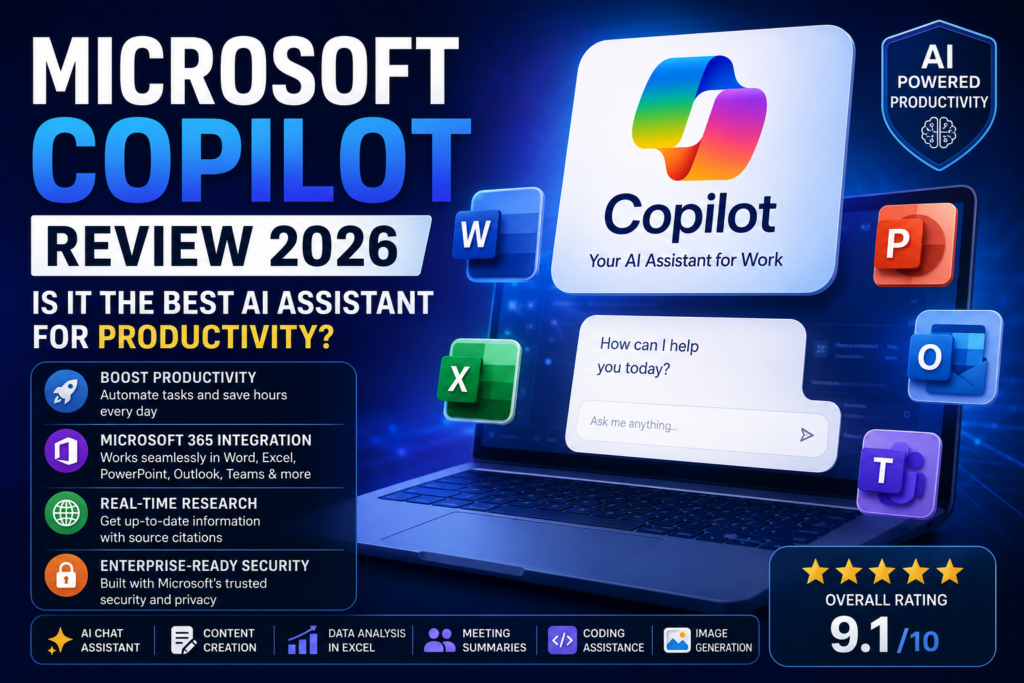
Overall Rating: 9.1/10
Productivity: 9.8/10
Features: 9.2/10
Ease of Use: 9.0/10
Research: 8.8/10
Pricing: 8.5/10
Value for Money: 9.0/10
Final Recommendation
For Bloggers
Recommended for content planning, research, and drafting.
For Affiliate Marketers
Helpful for reviews, landing pages, and content production.
For Students
Excellent for assignments, presentations, and study assistance.
For Business Professionals
One of the best productivity tools available.
For Enterprise Teams
Highly recommended due to security, collaboration, and workflow capabilities.
FAQ
Is Microsoft Copilot free?
Yes. Microsoft offers a free version of Copilot, although advanced features require paid subscriptions.
Is Microsoft Copilot better than ChatGPT?
For productivity and Microsoft Office integration, Copilot is often better. For creativity, coding, and flexibility, ChatGPT remains stronger.
Does Microsoft Copilot work with Excel?
Yes. Copilot can analyze data, generate formulas, automate tasks, and provide insights inside Excel.
Can Microsoft Copilot write blog posts?
Yes. It can generate outlines, drafts, and content ideas for blog articles.
Is Microsoft Copilot worth paying for?
For Microsoft 365 users and business professionals, Copilot can provide substantial productivity gains that justify the subscription cost.
Affiliate Disclosure
This article may contain affiliate links. If you purchase through our links, SaaSERAA may earn a commission at no additional cost to you. This helps us continue testing and reviewing AI tools independently and providing honest, unbiased recommendations.