Introduction
Email marketing remains one of the most effective digital marketing strategies in 2026. Despite the rise of social media, AI-powered content platforms, and paid advertising, email continues to deliver one of the highest returns on investment for businesses. Owning an email list allows marketers to communicate directly with their audience without depending on ever-changing algorithms.
As businesses seek more powerful marketing solutions, platforms have evolved beyond simple email newsletter tools. Modern marketers now expect automation, landing pages, sales funnels, webinar hosting, ecommerce features, and customer engagement tools from a single platform.
One platform that consistently ranks among the top email marketing solutions is GetResponse. Over the years, GetResponse has transformed from a basic email marketing service into a complete marketing ecosystem designed for businesses of all sizes.
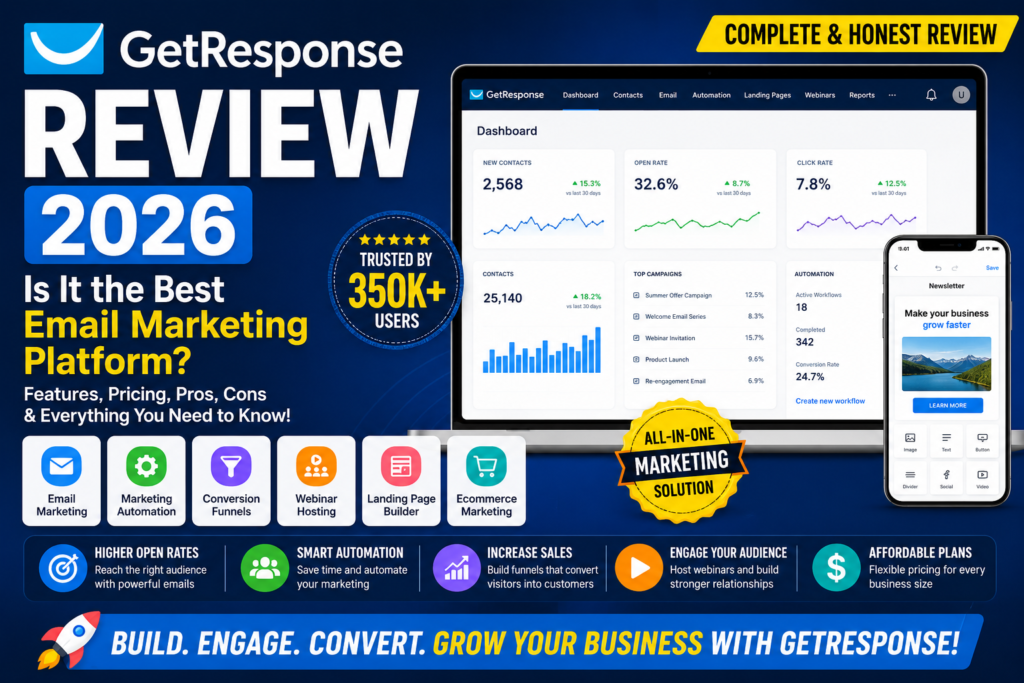
In this GetResponse Review 2026, we’ll explore its features, pricing, pros, cons, use cases, and alternatives to determine whether it remains one of the best email marketing platforms available today.
Quick Verdict
GetResponse remains one of the most complete email marketing platforms in 2026. Its combination of powerful automation, webinar hosting, conversion funnels, and ecommerce tools makes it an excellent choice for affiliate marketers, bloggers, course creators, and growing businesses.
What is GetResponse?
Company Overview
GetResponse is a cloud-based email marketing and marketing automation platform that has been serving businesses for over two decades.
Founded in 1998, the company initially focused on helping businesses create and send professional email newsletters. Over time, it expanded into marketing automation, landing pages, webinars, ecommerce marketing, and sales funnel management.
Today, GetResponse serves businesses across more than 180 countries and is trusted by entrepreneurs, marketers, agencies, and enterprises alike.
The company’s mission is simple: help businesses build relationships with customers and increase revenue through smarter marketing automation.
What Makes GetResponse Different?
Several features help GetResponse stand out from competitors.
Email Marketing Focus
Unlike general marketing platforms, GetResponse was built specifically around email marketing. This expertise is reflected in its deliverability, automation capabilities, and email creation tools.
Marketing Automation
The platform offers advanced workflow automation that allows businesses to create personalized customer journeys based on user behavior.
Webinar Capabilities
Few email marketing platforms include built-in webinar hosting. This unique feature makes GetResponse particularly attractive for coaches, educators, and course creators.
Conversion Funnel Tools
Businesses can build complete sales funnels that combine landing pages, lead capture forms, email automation, and sales pages.
Who is GetResponse For?
GetResponse is suitable for:
- Affiliate marketers
- Bloggers
- Ecommerce businesses
- Course creators
- Small businesses
- Marketing agencies
Whether your goal is list building, lead generation, product promotion, or customer retention, GetResponse offers tools that can support your growth.
GetResponse Features
Email Marketing
Email marketing remains the core feature of GetResponse.
Email Campaign Builder
The drag-and-drop email editor allows users to create professional-looking campaigns without design experience.
Users can:
- Create newsletters
- Design promotional campaigns
- Customize templates
- Add images and videos
- Personalize content
The editor is intuitive enough for beginners while offering advanced customization for experienced marketers.
Email Scheduling
GetResponse allows businesses to schedule emails in advance and optimize delivery timing.
Benefits include:
- Automated sending
- Better open rates
- Improved engagement
- Time-zone targeting
This ensures subscribers receive emails when they are most likely to engage.
Subscriber Management
Managing contacts effectively is critical for email marketing success.
GetResponse includes:
- Contact segmentation
- Audience tagging
- Custom fields
- Subscriber filtering
These features help marketers send highly relevant content to different audience segments.
Marketing Automation
One of GetResponse’s strongest advantages is its automation system.
Automation Builder
The visual workflow builder allows users to create automated customer journeys using triggers and actions.
Examples include:
- Welcome email sequences
- Lead nurturing campaigns
- Product recommendations
- Customer onboarding processes
The drag-and-drop workflow editor makes advanced automation accessible even for beginners.
Lead Nurturing
Building relationships with prospects is easier through automated nurturing campaigns.
Businesses can automatically:
- Deliver educational content
- Build trust
- Introduce products
- Guide prospects toward purchases
This helps improve conversion rates while reducing manual work.
Behavioral Automation
GetResponse can track customer actions and trigger automated responses.
Examples include:
- Email clicks
- Website visits
- Product purchases
- Form submissions
This level of personalization helps create more relevant customer experiences.
Landing Page Builder
Landing pages play a vital role in lead generation and sales.
Drag-and-Drop Page Editor
The landing page builder enables users to create professional pages without coding.
Features include:
- Visual editing
- Custom templates
- Mobile responsiveness
- Fast publishing
Lead Capture Pages
Businesses can build pages specifically designed to collect email subscribers and grow their lists.
Sales Pages
Dedicated sales pages help convert visitors into customers through persuasive offers and optimized layouts.
Mobile Optimization
All landing pages are designed to work seamlessly across desktops, tablets, and smartphones.
Conversion Funnels
One of GetResponse’s most valuable features is its built-in Conversion Funnel system. Instead of using separate tools for lead capture, email marketing, and sales pages, users can create complete customer journeys from a single dashboard.
Lead Funnels
Lead funnels help businesses collect email subscribers and build their audience.
Features include:
- Opt-in pages
- Lead magnets
- Signup forms
- Thank-you pages
These funnels are designed to maximize conversions and grow your email list efficiently.
Sales Funnels
Sales funnels guide visitors through the buying process.
Users can create:
- Product pages
- Order forms
- Upsell pages
- Thank-you pages
This helps businesses increase revenue while simplifying the customer journey.
Webinar Funnels
GetResponse uniquely combines webinar registration and email marketing.
Businesses can:
- Promote webinars
- Collect registrations
- Send reminder emails
- Follow up with attendees
This makes webinar marketing significantly easier.
Product Launch Funnels
Launching a new product requires multiple marketing elements.
GetResponse provides pre-built funnel templates that include:
- Lead generation pages
- Email sequences
- Sales pages
- Follow-up campaigns
This helps businesses launch products faster and more effectively.
Webinar Hosting
Unlike many email marketing platforms, GetResponse includes built-in webinar functionality.
Live Webinars
Users can host live webinars directly through the platform.
Benefits include:
- Audience interaction
- Real-time presentations
- Lead generation opportunities
- Product demonstrations
This eliminates the need for separate webinar software.
Automated Webinars
Businesses can also create evergreen webinars that run automatically.
This is ideal for:
- Sales presentations
- Training programs
- Lead nurturing
- Course promotion
Automated webinars allow businesses to generate leads and sales around the clock.
Registration Pages
GetResponse provides customizable registration pages to increase webinar signups.
Features include:
- Landing page templates
- Signup forms
- Confirmation emails
- Reminder sequences
Audience Engagement Tools
Webinars include several engagement features such as:
- Polls
- Q&A sessions
- Chat functionality
- Screen sharing
These tools help improve attendee participation and retention.
Website Builder
GetResponse has expanded beyond email marketing by introducing a website builder.
AI Website Builder
The AI-powered website builder helps users create websites quickly.
Users answer a few questions, and the system generates a customized website automatically.
This is especially useful for beginners who lack design or coding experience.
Custom Design Options
Users can customize:
- Layouts
- Colors
- Fonts
- Images
- Branding elements
This flexibility helps businesses create professional-looking websites.
Mobile Responsiveness
All websites created through GetResponse are mobile-friendly.
Since a large percentage of traffic now comes from mobile devices, this is a critical feature.
Ecommerce Marketing
GetResponse offers several features specifically designed for online stores.
Product Recommendations
Businesses can automatically recommend products based on customer behavior and purchase history.
This helps increase average order value and customer engagement.
Abandoned Cart Recovery
One of the most valuable ecommerce features is abandoned cart recovery.
If a customer leaves without completing a purchase, GetResponse can automatically send reminder emails encouraging them to return and complete the order.
This feature alone can significantly increase sales.
Sales Tracking
Businesses can track:
- Revenue
- Customer purchases
- Campaign performance
- Conversion rates
These insights help optimize marketing efforts.
Customer Automation
GetResponse allows ecommerce businesses to automate customer communication.
Examples include:
- Order confirmations
- Shipping notifications
- Product recommendations
- Re-engagement campaigns
This improves customer experience while reducing manual work.
GetResponse Pricing
GetResponse offers several pricing tiers to accommodate different business needs.
Free Plan
The free plan is ideal for beginners who want to explore the platform.
Features Included
- Email marketing
- Website builder
- Landing pages
- Signup forms
Limitations
- Limited subscriber count
- Basic functionality
- No advanced automation
Despite the limitations, it provides a good starting point for small businesses.
Email Marketing Plan
Pricing
Designed for users who primarily need email marketing functionality.
Features
- Unlimited newsletters
- Autoresponders
- Email templates
- Basic segmentation
Best For
- Bloggers
- Beginners
- Small businesses
Marketing Automation Plan
Pricing
Mid-tier plan focused on advanced marketing capabilities.
Features
- Workflow automation
- Behavioral targeting
- Advanced segmentation
- Lead scoring
Best For
- Affiliate marketers
- Growing businesses
- Professional marketers
Ecommerce Marketing Plan
Pricing
Built specifically for online stores.
Features
- Ecommerce automation
- Abandoned cart recovery
- Product recommendations
- Transactional emails
Best For
- Ecommerce businesses
- Online retailers
Max & Enterprise Plans
Custom Pricing
Enterprise-level solutions with customized pricing.
Advanced Features
- Dedicated support
- Advanced security
- Account management
- Enterprise automation
Team Collaboration
These plans support larger teams with collaboration tools and advanced permissions.
Is GetResponse Worth the Cost?
Value Analysis
GetResponse provides strong value because it combines multiple marketing tools into one platform.
Instead of paying separately for:
- Email marketing
- Webinar software
- Landing page builders
- Marketing automation
Businesses can manage everything from a single dashboard.
Comparison with Competitors
Compared to many competitors, GetResponse offers a balanced mix of features, automation, and pricing.
Its webinar hosting capability gives it a unique advantage over many traditional email marketing platforms.
GetResponse Pros
Pros
✔ Powerful Email Marketing Tools
GetResponse provides everything needed to create, manage, and optimize email campaigns. The email editor is user-friendly while still offering advanced customization options.
✔ Advanced Automation Workflows
The visual automation builder is one of the strongest features of the platform. Users can create sophisticated customer journeys without coding skills.
✔ Built-in Webinar Hosting
Unlike many competitors, GetResponse includes webinar functionality, reducing the need for additional software subscriptions.
✔ Funnel Builder Included
Businesses can create lead funnels, sales funnels, webinar funnels, and product launch funnels from a single dashboard.
✔ User-Friendly Interface
Despite offering advanced features, the platform remains relatively easy to navigate.
✔ Strong Deliverability Rates
GetResponse has consistently maintained high email deliverability rates, helping marketers reach subscribers’ inboxes.
✔ Good Ecommerce Features
Abandoned cart recovery, product recommendations, and ecommerce automation make it suitable for online stores.
GetResponse Cons
Cons
✘ Pricing Increases as Contact List Grows
Like many email marketing platforms, costs increase significantly as your subscriber count expands.
✘ Webinar Features Require Higher Plans
Some webinar functionality is only available on premium plans.
✘ Some Templates Feel Outdated
While many templates look modern, a few designs could benefit from updates.
✘ Learning Curve for Advanced Automation
Beginners may need time to fully understand automation workflows.
✘ Fewer Integrations Than Some Competitors
Although GetResponse integrates with many tools, some competitors offer larger integration ecosystems.
GetResponse vs ConvertKit
ConvertKit is another popular platform often used by bloggers and creators.
Email Marketing
GetResponse offers more advanced email marketing features and customization options.
Winner: GetResponse
Automation
Both platforms provide automation tools, but GetResponse offers greater flexibility and advanced workflows.
Winner: GetResponse
Landing Pages
GetResponse provides more landing page functionality and funnel-building capabilities.
Winner: GetResponse
Ease of Use
ConvertKit has a simpler interface and is often easier for beginners.
Winner: ConvertKit
Pricing
GetResponse generally offers more features for the price, especially when webinars and funnels are considered.
Winner: GetResponse
Which One Should You Choose?
Choose GetResponse if:
- You need advanced automation
- You want webinar hosting
- You need funnel-building tools
- You run an ecommerce business
Choose ConvertKit if:
- You’re a content creator
- Simplicity is your priority
- You only need email marketing
Comparison Table
| Feature | GetResponse | ConvertKit |
|---|---|---|
| Email Marketing | ⭐⭐⭐⭐⭐ | ⭐⭐⭐⭐ |
| Automation | ⭐⭐⭐⭐⭐ | ⭐⭐⭐⭐ |
| Landing Pages | ⭐⭐⭐⭐ | ⭐⭐⭐ |
| Webinars | ⭐⭐⭐⭐⭐ | ⭐ |
| Ease of Use | ⭐⭐⭐⭐ | ⭐⭐⭐⭐⭐ |
| Pricing | ⭐⭐⭐⭐ | ⭐⭐⭐ |
GetResponse Use Cases
Affiliate Marketing
Lead Generation
Capture subscribers using landing pages and lead magnets.
Email Promotions
Promote affiliate products through automated email sequences.
Funnel Building
Create complete marketing funnels to maximize conversions.
Blogging
Newsletter Growth
Turn website visitors into loyal subscribers.
Lead Magnets
Offer free resources in exchange for email addresses.
Audience Building
Develop long-term relationships with readers.
Ecommerce
Product Promotions
Launch new products and announce promotions.
Abandoned Cart Recovery
Recover lost sales through automated reminders.
Customer Retention
Maintain customer engagement through targeted campaigns.
Course Creators
Webinar Marketing
Promote and deliver educational webinars.
Course Launches
Build excitement around new course releases.
Student Communication
Keep students informed through automated email campaigns.
Small Business Marketing
Customer Engagement
Strengthen relationships with customers.
Promotions
Announce sales, discounts, and events.
Marketing Automation
Reduce manual work through automation workflows.
Who Should Use GetResponse?
Best For
✔ Affiliate Marketers
Advanced automation and funnel-building tools make it an excellent choice.
✔ Bloggers
Perfect for growing email lists and nurturing subscribers.
✔ Ecommerce Businesses
Strong ecommerce features help increase sales and customer retention.
✔ Course Creators
Webinar hosting and email automation support online education businesses.
✔ Marketing Agencies
Manage campaigns and customer communication effectively.
✔ Small Businesses
Affordable and scalable marketing tools support business growth.
Not Ideal For
✘ Users Needing Only Basic Email Marketing
Simple newsletter tools may be more affordable.
✘ Businesses on a Very Tight Budget
Costs can increase as subscriber lists grow.
✘ Users Who Don’t Need Automation
Some advanced features may be unnecessary for basic use cases.
GetResponse Alternatives
Systeme.io
Excellent all-in-one marketing platform with strong value for money.
ConvertKit
Popular among bloggers and content creators.
Mailchimp
Well-known email marketing platform with beginner-friendly tools.
ActiveCampaign
Advanced automation and CRM capabilities.
Brevo
Affordable email marketing and customer communication platform.
AWeber
Traditional email marketing solution for small businesses.
Final Verdict
GetResponse remains one of the most complete email marketing platforms available in 2026.
Its biggest strengths include:
✔ Email marketing
✔ Marketing automation
✔ Webinar hosting
✔ Funnel building
✔ Ecommerce features
✔ High deliverability
The platform successfully combines powerful email marketing tools with automation, conversion funnels, webinars, and ecommerce functionality. This makes it an excellent solution for businesses looking to centralize their marketing efforts.
For affiliate marketers, bloggers, ecommerce stores, and online businesses, GetResponse offers an impressive balance of features, automation, and value.
Overall Rating: 9.1/10
Email Marketing: 9.5/10
Automation: 9.3/10
Ease of Use: 8.8/10
Features: 9.2/10
Pricing: 8.5/10
Value for Money: 9.0/10
Final Recommendation
For Affiliate Marketers
Highly recommended due to its automation and funnel-building capabilities.
For Bloggers
Excellent for growing and monetizing email lists.
For Ecommerce Businesses
Strong ecommerce automation and customer retention tools.
For Course Creators
Webinar hosting and email automation create a powerful marketing combination.
For Small Businesses
A complete marketing platform that can scale as your business grows.
FAQ
Is GetResponse free?
Yes. GetResponse offers a free plan with limited features for beginners and small businesses.
Is GetResponse better than Mailchimp?
Many users prefer GetResponse because of its advanced automation, webinars, and funnel-building capabilities.
Does GetResponse include webinars?
Yes. GetResponse offers built-in webinar hosting, which is one of its standout features.
Is GetResponse good for affiliate marketing?
Absolutely. Its automation tools, landing pages, and email marketing features make it ideal for affiliate marketers.
Is GetResponse worth it in 2026?
Yes. For businesses seeking email marketing, automation, webinars, and funnel-building in one platform, GetResponse remains an excellent choice.
Affiliate Disclosure
This article may contain affiliate links. If you purchase through our links, SaaSERAA may earn a commission at no additional cost to you. This helps us continue testing and reviewing marketing tools independently while providing honest recommendations.