
Introduction
The world of digital content creation has changed dramatically in recent years, and artificial intelligence is now playing a major role in how creators design graphics, videos, presentations, and marketing materials. In 2026, AI-powered design tools have become essential for businesses, bloggers, marketers, and content creators who need professional-quality visuals without spending hours on complex design software.
The demand for visual content continues to grow across social media, websites, YouTube, email marketing, and online advertising. However, not everyone has the time or expertise to learn professional design software such as Adobe Photoshop or Illustrator. This is where Canva AI has emerged as one of the most popular design platforms in the world.
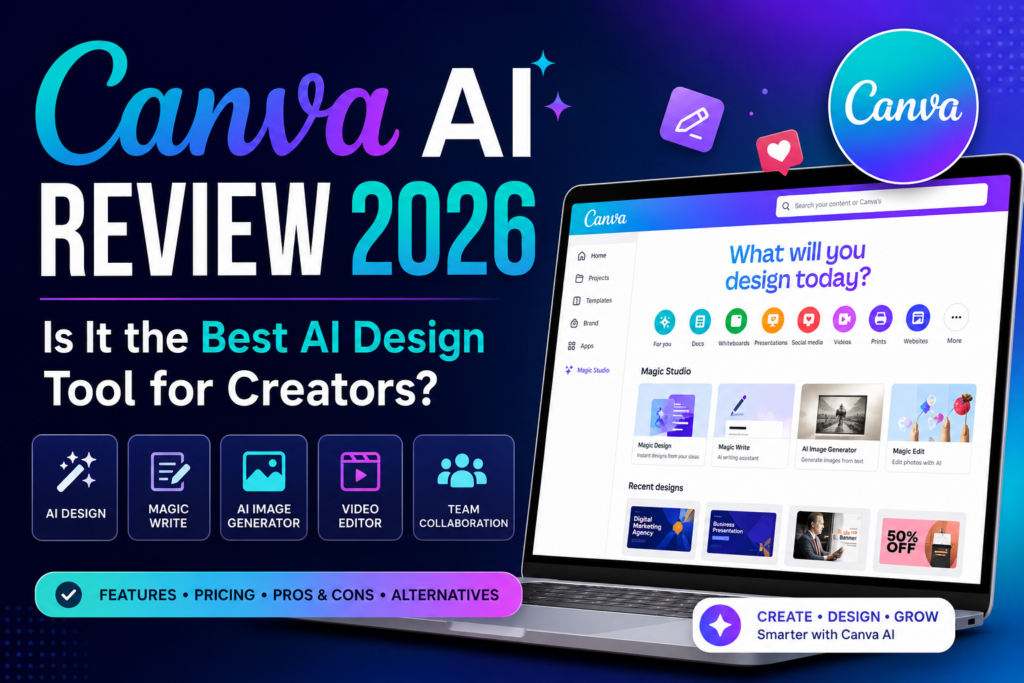
Canva has transformed from a simple drag-and-drop graphic design tool into a complete AI-powered content creation platform. With features like Magic Design, Magic Write, AI image generation, video creation, and brand management tools, Canva AI aims to help users create professional content faster than ever.
In this Canva AI Review 2026, we’ll explore its features, pricing, pros, cons, alternatives, and real-world use cases to determine whether Canva AI is truly the best AI design tool available today.
Quick Verdict
Canva AI remains one of the best AI-powered design platforms in 2026. Its ease of use, powerful AI features, huge template library, and affordable pricing make it an excellent choice for bloggers, affiliate marketers, social media managers, businesses, and content creators.
What is Canva AI?
Company Overview
Canva is one of the world’s most popular online design platforms. Founded in 2013, the company set out with a mission to make graphic design accessible to everyone, regardless of technical skill level.
Over the years, Canva has evolved far beyond simple design templates. The company has invested heavily in artificial intelligence, introducing powerful AI-driven features that help users generate content, edit images, write marketing copy, and create visual assets automatically.
Today, Canva serves millions of users worldwide, including individuals, businesses, educational institutions, and marketing agencies.
What Makes Canva AI Different?
Several factors help Canva AI stand out from competing design tools.
User-Friendly Design Platform
Unlike many professional design applications, Canva prioritizes simplicity.
Users can create graphics through an intuitive drag-and-drop interface without any design experience.
AI-Powered Creativity Tools
Canva AI includes tools that automate many creative tasks, helping users generate content quickly.
Large Template Ecosystem
The platform offers thousands of professionally designed templates for nearly every type of content imaginable.
All-in-One Content Creation Platform
Instead of using separate tools for graphics, writing, presentations, and videos, Canva combines everything in one platform.
Who is Canva AI For?
Canva AI serves a wide variety of users:
- Bloggers
- Affiliate marketers
- Social media managers
- Small businesses
- Students
- Content creators
- Marketing agencies
Whether you’re creating social media graphics, blog images, presentations, or marketing materials, Canva AI provides tools to simplify the process.
Canva AI Features
Magic Design
Magic Design is one of Canva AI’s most impressive features.
AI-Powered Design Creation
Users can simply describe what they want, and Canva AI generates multiple design options automatically.
Benefits include:
- Faster content creation
- Reduced design effort
- Professional-looking layouts
- Creative inspiration
Generate Designs from Prompts
Users can enter prompts such as:
- Instagram post for a fitness coach
- Facebook ad for a software product
- YouTube thumbnail for a review video
The AI then generates relevant designs.
Automatic Layout Suggestions
Canva AI recommends layouts, colors, images, and design elements that match the user’s content.
This dramatically speeds up the design process.
Presentation Creation
Creating presentations traditionally requires significant time and effort.
Canva AI simplifies this process.
AI-Generated Slides
Users can generate presentation outlines and complete slide decks using simple prompts.
Quick Design Workflows
This feature is especially useful for:
- Business presentations
- Educational projects
- Sales pitches
- Marketing reports
Social Media Graphics
Canva AI helps users create engaging social media content quickly.
Instagram Posts
Generate eye-catching posts optimized for Instagram.
Facebook Posts
Create promotional graphics, announcements, and advertisements.
LinkedIn Graphics
Design professional content for personal branding and business marketing.
Magic Write
Magic Write is Canva’s built-in AI writing assistant.
AI Writing Assistant
Users can generate written content directly within Canva.
Examples include:
- Blog ideas
- Social media captions
- Ad copy
- Product descriptions
This reduces the need for separate writing tools.
Blog Content Ideas
Writers and bloggers can brainstorm article topics and outlines quickly.
Social Media Captions
Generate captions for platforms such as Instagram, Facebook, LinkedIn, and X.
Marketing Copy
Businesses can create:
- Advertisements
- Promotional messages
- Email campaigns
Content Generation
Magic Write also supports broader content creation tasks.
Product Descriptions
Ecommerce businesses can quickly generate product descriptions.
Email Content
Draft newsletters and marketing emails within the Canva ecosystem.
Creative Writing Support
Users can generate ideas for stories, scripts, and other creative projects.
AI Image Generator
One of Canva AI’s most exciting additions is its built-in AI Image Generator.
Text-to-Image Creation
Users can create unique images simply by entering text prompts.
For example:
- “Modern office workspace with AI technology”
- “Futuristic digital marketing dashboard”
- “Professional business team meeting”
Within seconds, Canva AI generates custom images based on the prompt.
Generate Images from Prompts
This feature is particularly useful for:
- Blog featured images
- Social media graphics
- Advertising creatives
- Presentation visuals
Creators no longer need to spend hours searching for stock images.
Multiple Artistic Styles
Canva AI supports various image styles, including:
- Realistic photography
- Digital art
- Watercolor
- 3D illustrations
- Cartoon designs
This flexibility allows users to create visuals that match their brand identity.
Marketing Visuals
Businesses can use AI-generated images for:
- Facebook ads
- Instagram promotions
- Blog banners
- Landing pages
This helps reduce design costs while increasing creative flexibility.
Background Remover
The Background Remover is one of Canva Pro’s most popular features.
One-Click Background Removal
Users can remove image backgrounds instantly with a single click.
Previously, this task required advanced editing software such as Photoshop.
Now it takes only seconds.
Product Photography
Ecommerce businesses frequently use this tool for:
- Product listings
- Online stores
- Promotional graphics
Clean product images can significantly improve conversion rates.
Marketing Assets
Marketers can create:
- Transparent PNGs
- Promotional banners
- Custom advertisements
without needing professional editing skills.
Magic Edit
Magic Edit allows users to modify images using AI.
AI Object Editing
Instead of manually editing images, users can simply describe changes.
For example:
- Replace a laptop with a tablet
- Change a background scene
- Add marketing elements
The AI performs the modifications automatically.
Replace Objects
This feature is useful for:
- Product marketing
- Social media graphics
- Creative projects
Content Enhancement
Magic Edit helps creators experiment with different visual concepts quickly.
This reduces the need for expensive photo shoots and manual editing.
Magic Eraser
Magic Eraser focuses on removing unwanted elements from images.
Remove Unwanted Elements
Users can eliminate:
- Background distractions
- Unwanted objects
- Photobombers
- Visual clutter
with minimal effort.
Image Cleanup
This feature improves image quality and professionalism.
It’s especially useful for marketers creating advertisements and promotional materials.
Design Optimization
By removing distractions, users can create cleaner, more focused designs.
Canva Video Editor
Video content continues to dominate digital marketing in 2026.
Canva has expanded its capabilities by offering AI-powered video creation tools.
AI Video Creation
Users can create videos using:
- Templates
- AI-generated content
- Drag-and-drop editing
without advanced editing knowledge.
Video Templates
Canva provides ready-made templates for:
- YouTube videos
- Instagram Reels
- TikTok videos
- Business presentations
These templates speed up production significantly.
Social Media Videos
Canva AI helps marketers create engaging video content quickly.
Popular use cases include:
- Product promotions
- Educational videos
- Brand awareness campaigns
Reels and Shorts
Short-form content is one of the fastest-growing content formats.
Canva makes it easy to create:
- YouTube Shorts
- Instagram Reels
- TikTok content
using AI-assisted workflows.
Brand Kit
Brand consistency is essential for businesses and content creators.
Logos
Users can upload and store company logos within Canva.
Brand Colors
Brand colors can be saved and applied automatically across projects.
Fonts
Organizations can standardize typography using custom fonts.
Consistent Branding
The Brand Kit helps businesses maintain a professional appearance across:
- Social media
- Presentations
- Websites
- Marketing materials
This saves time while strengthening brand identity.
Team Collaboration
Canva AI is not just for individual creators.
It also includes powerful collaboration features.
Shared Workspaces
Teams can organize projects within shared workspaces.
This improves communication and workflow efficiency.
Real-Time Collaboration
Multiple users can edit designs simultaneously.
This is particularly valuable for:
- Marketing teams
- Agencies
- Businesses
- Educational institutions
Approval Workflows
Managers can review and approve designs before publication.
This helps maintain quality control and brand consistency.
Canva AI Pricing
Canva offers several pricing options designed for different types of users.
Free Plan
The free version remains one of the most generous design platforms available.
Features Included
Users receive access to:
- Thousands of templates
- Basic design tools
- Limited AI features
- Collaboration options
Limitations
The free plan includes restrictions such as:
- Limited premium assets
- Reduced AI usage
- Fewer customization options
However, it remains an excellent starting point for beginners.
Canva Pro
Pricing
Canva Pro is the platform’s most popular subscription plan.
Features Included
Subscribers receive:
- Premium templates
- Brand Kit access
- Background Remover
- Expanded AI features
- Millions of stock assets
Best For
- Bloggers
- Creators
- Affiliate marketers
These users often find Canva Pro provides outstanding value for money.
Canva Teams
Pricing
Designed for organizations and collaborative teams.
Collaboration Features
Additional features include:
- Team management
- Shared assets
- Approval workflows
- Centralized branding
Best For
- Businesses
- Agencies
- Marketing teams
Canva Enterprise
Custom Pricing
Large organizations can access enterprise-level plans with customized pricing.
Enterprise Security
Advanced security features include:
- Single sign-on (SSO)
- Enhanced permissions
- Administrative controls
Advanced Team Controls
These tools help large organizations manage content creation at scale.
Is Canva AI Worth the Cost?
Value Analysis
Canva AI offers exceptional value because it combines:
- Graphic design
- AI writing
- Image generation
- Video creation
- Team collaboration
into a single platform.
Comparison with Competitors
Compared with Adobe Express, Microsoft Designer, and other design platforms, Canva generally offers:
- Better ease of use
- Larger template library
- Stronger collaboration tools
Best Users for Paid Plans
The paid plans provide the most value for:
- Bloggers
- Affiliate marketers
- Social media marketers
- Agencies
- Small businesses
- Content creators
Canva AI Pros
Pros
✔ Extremely Easy to Use
Canva’s biggest strength is its simplicity. Even complete beginners can create professional-looking graphics, presentations, videos, and marketing materials without any design experience.
✔ Powerful AI Design Tools
Features such as Magic Design, Magic Edit, Magic Eraser, and AI Image Generator significantly reduce the time required to create content.
✔ AI Image Generation
Canva AI can generate unique visuals from simple text prompts, helping creators produce custom graphics without relying solely on stock images.
✔ Huge Template Library
Users gain access to thousands of professionally designed templates for:
- Social media
- Blogging
- Presentations
- Marketing campaigns
- Business documents
✔ Excellent Collaboration Features
Real-time collaboration makes Canva a strong choice for teams and agencies.
✔ Affordable Pricing
Compared with many design tools, Canva offers excellent value for money.
✔ Beginner-Friendly
The learning curve is minimal compared to traditional design software.
✔ Strong Brand Management Tools
The Brand Kit feature helps businesses maintain consistent branding across all content.
Canva AI Cons
Cons
✘ Limited Compared to Adobe for Advanced Design
Professional graphic designers may find Canva restrictive for highly complex projects.
✘ Some AI Outputs Require Editing
While AI tools are impressive, generated designs and images sometimes require manual adjustments.
✘ Premium Features Locked Behind Pro Plan
Many advanced AI tools require a Canva Pro subscription.
✘ Limited Advanced Video Editing
Canva’s video editor is useful but cannot fully replace professional editing software.
✘ Can Become Template-Dependent
Some users may rely too heavily on templates, resulting in less unique content.
Canva AI vs Adobe Express
Adobe Express is one of Canva AI’s closest competitors.
Ease of Use
Canva’s interface is more intuitive and beginner-friendly.
Winner: Canva AI
AI Design Features
Both platforms offer AI-powered design tools, but Canva’s ecosystem currently feels more mature and polished.
Winner: Canva AI
Templates
Canva offers a significantly larger selection of templates.
Winner: Canva AI
Branding Tools
Both platforms provide branding features, but Canva’s Brand Kit is particularly well-developed.
Winner: Canva AI
Collaboration
Canva provides stronger collaboration workflows for teams and businesses.
Winner: Canva AI
Pricing
Canva generally offers better value, especially for creators and small businesses.
Winner: Canva AI
Which One Should You Choose?
Choose Canva AI if:
- You are a beginner
- You need social media graphics
- You create marketing materials regularly
- You work with a team
Choose Adobe Express if:
- You’re already invested in Adobe products
- You need closer integration with Photoshop or Illustrator
Comparison Table
| Feature | Canva AI | Adobe Express |
|---|---|---|
| Ease of Use | ⭐⭐⭐⭐⭐ | ⭐⭐⭐⭐ |
| AI Design | ⭐⭐⭐⭐⭐ | ⭐⭐⭐⭐ |
| Templates | ⭐⭐⭐⭐⭐ | ⭐⭐⭐⭐ |
| Branding | ⭐⭐⭐⭐⭐ | ⭐⭐⭐⭐ |
| Collaboration | ⭐⭐⭐⭐⭐ | ⭐⭐⭐ |
| Pricing | ⭐⭐⭐⭐⭐ | ⭐⭐⭐⭐ |
Canva AI Use Cases
Blogging
Bloggers can create professional content quickly.
Featured Images
Design eye-catching blog thumbnails and featured images.
Blog Graphics
Enhance articles with infographics and visual content.
Pinterest Pins
Generate attractive Pinterest graphics for traffic generation.
Affiliate Marketing
Canva AI is an excellent tool for affiliate marketers.
Landing Page Graphics
Create banners and visuals that improve conversions.
Product Banners
Design promotional graphics for affiliate offers.
Social Media Ads
Develop advertising creatives for Facebook, Instagram, and other platforms.
Social Media Marketing
Canva excels at social media content creation.
Instagram Posts
Generate professional posts and carousels.
Facebook Graphics
Create promotional and engagement-focused content.
LinkedIn Content
Produce professional business-oriented visuals.
YouTube Thumbnails
Design attention-grabbing thumbnails for increased click-through rates.
Small Businesses
Small businesses can manage most of their visual content creation through Canva.
Marketing Materials
Design brochures, flyers, and promotional assets.
Presentations
Create professional business presentations.
Branding Assets
Maintain a consistent visual identity.
Education
Students and educators also benefit from Canva AI.
Assignments
Create visually appealing projects and reports.
Presentations
Build engaging presentations quickly.
Learning Resources
Develop educational materials and worksheets.
Who Should Use Canva AI?
Best For
✔ Bloggers
Perfect for featured images, blog graphics, and Pinterest marketing.
✔ Affiliate Marketers
Excellent for landing pages, social media ads, and promotional graphics.
✔ Content Creators
Ideal for creating content across multiple platforms.
✔ Social Media Marketers
Powerful tools for content creation and scheduling.
✔ Small Businesses
Affordable and scalable design solution.
✔ Students
Easy-to-use tools for presentations and assignments.
✔ Marketing Agencies
Supports collaboration and client content production.
Not Ideal For
✘ Professional Graphic Designers
Advanced design professionals may require Adobe Creative Cloud.
✘ Advanced Adobe Users
Experienced Adobe users may prefer more specialized tools.
✘ Motion Graphics Professionals
Canva is not designed for advanced animation work.
✘ Users Needing Advanced Video Production
Professional video editors will likely need dedicated software.
Canva AI Alternatives
Adobe Express
Adobe’s direct competitor to Canva AI.
Microsoft Designer
AI-powered design platform integrated into Microsoft’s ecosystem.
Visme
Popular for presentations and business graphics.
Figma AI
Focused on UI/UX design and collaboration.
VistaCreate
Template-based graphic design platform.
Snappa
Simple online graphic creation tool.
Final Verdict
Canva AI remains one of the best AI-powered design platforms available in 2026.
Its biggest strengths include:
✔ AI-powered design creation
✔ Image generation
✔ Content writing tools
✔ Video editing
✔ Branding tools
✔ Massive template library
✔ Easy-to-use interface
The platform successfully combines graphic design, AI content creation, video editing, collaboration, and branding tools into one easy-to-use ecosystem.
For bloggers, affiliate marketers, businesses, students, and content creators, Canva AI offers one of the best combinations of simplicity, affordability, and functionality available today.
Overall Rating: 9.4/10
Ease of Use: 9.8/10
Features: 9.3/10
Design Quality: 9.2/10
AI Capabilities: 9.1/10
Pricing: 9.5/10
Value for Money: 9.6/10
Final Recommendation
For Bloggers
Highly recommended for creating blog graphics, featured images, and Pinterest content.
For Affiliate Marketers
Excellent for promotional content, landing pages, and social media advertising.
For Content Creators
One of the easiest ways to create professional content quickly.
For Small Businesses
Provides exceptional value by replacing multiple design tools.
For Students
Affordable and easy-to-use platform for academic projects and presentations.
FAQ
Is Canva AI free?
Yes. Canva offers a free plan with many useful features, though advanced AI tools require Canva Pro.
Is Canva AI better than Adobe Express?
For most beginners and marketers, Canva AI offers a more user-friendly experience and larger template library.
Can Canva AI generate images?
Yes. Canva AI includes a text-to-image generator capable of creating unique visuals from prompts.
Is Canva AI good for affiliate marketing?
Absolutely. Canva is one of the most useful tools for creating affiliate marketing graphics, ads, and promotional content.
Is Canva Pro worth it in 2026?
Yes. For creators who regularly design content, Canva Pro offers excellent value through premium templates, AI tools, and branding features.
Affiliate Disclosure
This article may contain affiliate links. If you purchase through our links, SaaSERAA may earn a commission at no additional cost to you. This helps us continue testing and reviewing AI tools independently and providing honest recommendations.